درج یک نمودار
To insert an Odoo chart into an Odoo spreadsheet:
With the relevant graph view open in your database, click Spreadsheet.
In the Insert in Spreadsheet window, edit the Graph name if needed.
روی صفحه گسترده خالی کلیک کنید تا یک صفحه گسترده جدید ایجاد شود، یا انتخاب کنید که نمودار در کدام صفحه گسترده موجود باید درج شود.
توجه
When inserting a chart into a new spreadsheet, the spreadsheet is saved in the Documents app in the My Drive personal folder.
Click Insert.
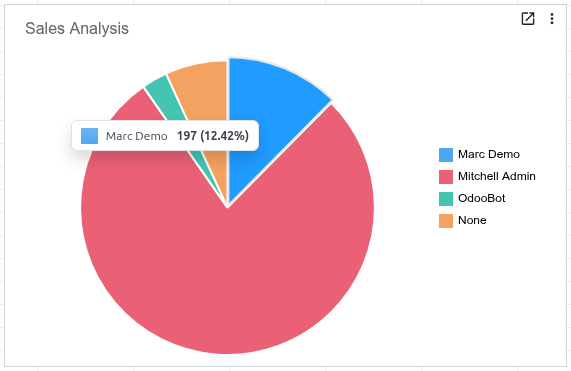
Charts are inserted on the first sheet of the spreadsheet. A panel on the right side of the screen shows the chart properties, where various aspects of the chart's configuration and design can be customized.
همچنین ملاحظه نمائید
نکته
Clicking on a data point in a chart opens the relevant list view in the database. In the example, clicking on Marc Demo opens the list view of all sales by this salesperson that match the domain of the chart.